 QuizScreen
Social app blocking
Block Instagram During Study Sessions
QuizScreen adds a quiz between the impulse to open Instagram and the decision to unlock it, while preserving short, intentional access when you need it.
Tested workflow
How to set it up
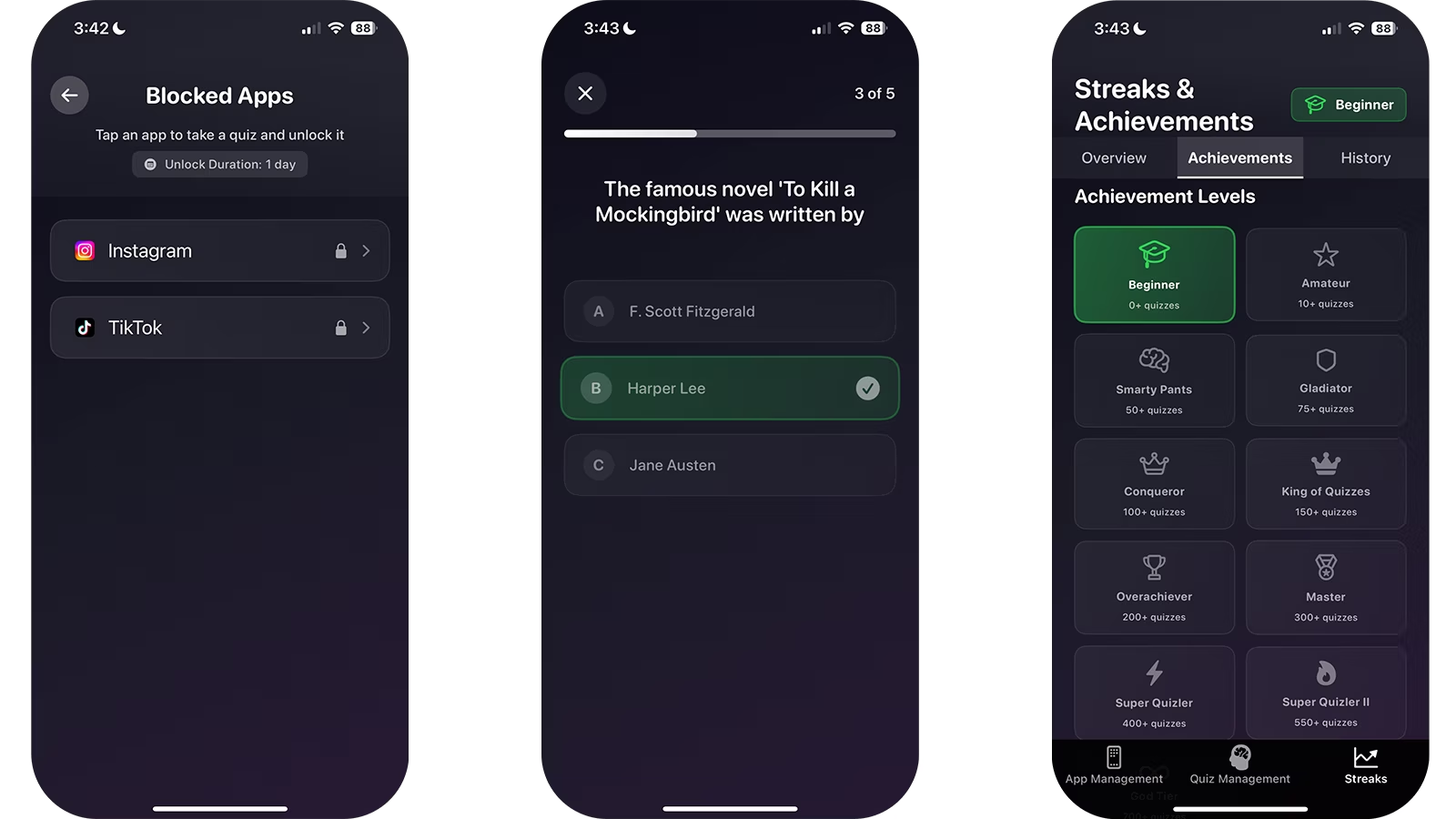
- 1Install QuizScreen and grant the Screen Time permission requested by iOS.
- 2Select the social, entertainment, or game apps that interrupt your study sessions.
- 3Open a selected app to confirm that the QuizScreen shield appears.
- 4Return to QuizScreen and complete the short quiz challenge.
- 5Choose a finite unlock duration that matches the break you intended to take.
Separate communication from scrolling
Before blocking Instagram, decide whether you need it for a class, club, or direct message. If the answer is yes, schedule a short check rather than relying on repeated unplanned opens.
QuizScreen’s finite unlock options let you choose a window and automatically restore the block afterward.
Pair the blocker with a visible finish line
Write down the exact task that earns the next break. The blocker handles app access; the written finish line prevents the session from becoming vague.
- Complete one practice set
- Draft one page
- Review one lecture
- Finish one 25-minute focus block
Limitations and fit
- QuizScreen requires iOS or iPadOS 17 or later and Apple Screen Time permission.
- The quiz is completed inside QuizScreen; Apple controls the system shield shown over a blocked app.
- Core app blocking, every unlock duration, and the built-in offline quiz packs are free with no unlock limit. AI-generated and custom-topic learning features require Premium.
- A blocking tool can add useful friction, but it cannot guarantee better grades, focus, or health outcomes.
Questions and answers
Is QuizScreen affiliated with Instagram or Meta?
No. QuizScreen is an independent app that uses Apple’s Screen Time frameworks.
Can I block Instagram but leave other apps available?
Yes. Apple’s Screen Time picker lets you choose the individual apps you want QuizScreen to shield.
Sources
- Use Screen Time on your iPhone and iPad — Apple Support
- Smartphones and Cognition: A Review of Research Exploring Mobile Technology Habits — Frontiers in Psychology